Want to know how to kirkify images free without Photoshop, Discord bots, or sketchy app installs? With Kirkify.live, you can sign in with Google or GitHub in one click, claim 100 free credits, and download a clean AI face-swapped meme for $0—no credit card required.
10–20 Seconds
Automatic AI face swap
No Credit Card
1-click Google / GitHub login
100 Free Credits
1 free image on sign-in
No Watermark
JPG, PNG & WebP support
Step-by-Step: How to Kirkify Images Free Online
Follow these three steps to turn any portrait, celebrity snapshot, or classic meme template into a kirkified reaction image right on this page.
1
Upload a Clear Target Photo
Pick any portrait, reaction meme, or group shot where the face is clearly visible.
Click the Target Image box in the generator below (or drag and drop a file from your computer).
Supported formats include JPG, PNG, and WebP from desktop folders or your phone camera roll.
Front-facing or three-quarter angle photos with unobstructed eyes, nose, and mouth give the cleanest AI alignment.
2
Choose Kirkify Mode (or Custom) & Click Generate
Keep the default Kirkify tab selected for instant one-click meme transformation.
Kirkify Mode automatically applies the signature Kirkify meme face to your uploaded target photo—only one image upload is required.
Want to swap a different face onto a template? Switch to Custom Mode to upload both a Source Face and a Target Image.
Press the Kirkify button and wait roughly 10–20 seconds while the AI matches skin tone, head tilt, and lighting.
3
Download Full-Resolution Image or Share
Save your finished meme with zero watermarks or share it straight to social feeds.
Preview your Kirkified Result side-by-side with your uploaded photo right inside the browser.
Click Download to save a crisp image file directly to your device, ready for Reddit, X (Twitter), Discord, or TikTok.
Use the Share menu to copy a direct share link or submit your favorite creation to the public Kirkify Gallery.
Interactive Example: Drag to CompareKirkify Mode
Original Photo
Kirkified Free
Drag to compare
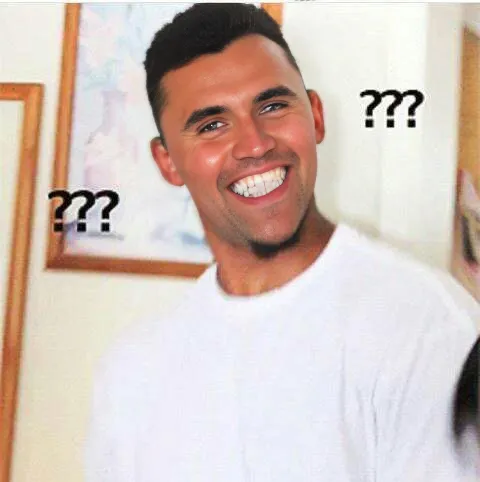
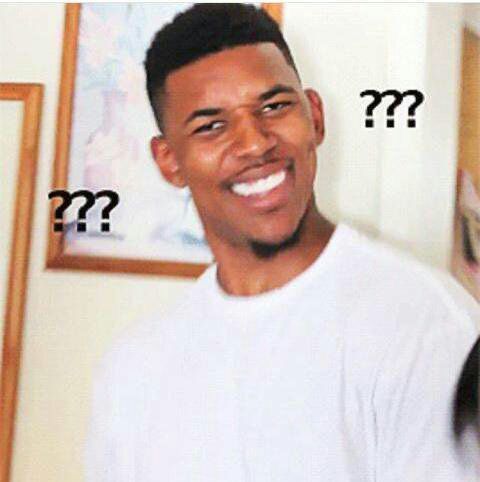
Notice how a clear, front-facing portrait lets the AI match skin lighting, head tilt, and facial proportions seamlessly.
Ready to test with your own picture?
The live AI tool is embedded right below—upload a photo and run your first generation free.
Kirkify Face Generator
Upload any photo and transform it with Kirk's iconic face.
Target Image
Kirkified Result
Your kirkified image will appear here
How Free Credits Work on Kirkify
Here is how to claim your free generation and what comes included before you ever spend a dollar.
Free Tier · Welcome Bonus
100 Free Credits on 1-Click Sign-In
Sign in with Google or GitHub for free to receive 100 starter credits immediately—no credit card required. Each AI generation costs 100 credits, giving you 1 full-resolution meme plus cloud history in your Dashboard.
Works in both Kirkify Mode and Custom Face Swap Mode
Full-resolution download with zero watermark
Automatic Failure Protection
Credits Refunded Automatically on Errors
If an upload fails or the AI model encounters a processing error, your 100 credits are automatically returned to your balance so your free try is never wasted.
Keep and re-download past creations anytime
Optional $9.9 Starter pack (500 credits, never expire) if you want more
Plan
Cost
Included Credits
Credit Card Needed?
Best For
Free Welcome Tier
$0
100 credits (1 image)
No (Google / GitHub login)
Trying Kirkify free + saved history
Starter Pack (Optional)
$9.9 one-time
500 credits (5 images)
One-time checkout
Casual meme batches (credits never expire)
Pro Plan (Optional)
$19.9 / month
12,500 credits (~125 images)
Subscription
Instant queue-free generation + TikTok AI videos
Make Every Free Credit Count
5 Tips for the Cleanest Kirkified Memes
Because free tries are limited, choosing the right input image makes a huge difference. Use these five guidelines so your very first upload comes out sharp and hilarious.
1. Match Front or 3/4 Head Angles
AI face swapping maps key landmarks around the eyes, eyebrows, nose bridge, and jawline. Photos where the subject looks toward the camera—or slightly to the side—produce far more natural proportions than extreme side profiles.
2. Pick Expressive Meme Templates & Stock Photos
Classic reaction formats, dramatic movie stills, podium speeches, and overly serious stock portraits create the funniest contrast once kirkified. The more serious the original pose, the harder the punchline lands.
3. Avoid Hands, Sunglasses, or Heavy Motion Blur
Objects covering the mouth, thick dark frames over the eyes, or heavy motion blur force the model to guess facial boundaries. Choose a sharp frame with even lighting across the face.
4. Use Even Lighting Instead of Harsh Color Casts
Natural daylight or indoor room lighting blends skin tones seamlessly. Strong neon club lighting (pure red or blue shadows) works too, though neutral lighting preserves the crispest facial detail.
5. Switch to Custom Mode for Specific Expressions
While default Kirkify Mode uses our signature preset expression automatically, Custom Mode lets you upload any specific reaction shot as the Source Face so you can match grins, smirks, or shocked looks to your target scene.
Need Inspiration First?
Browse real community creations in our public gallery to see which poses, movie scenes, and portrait styles produce the best kirkified results.
Original
Kirkified
Drag to compare
Example 1: Clear Three-Quarter Portrait
Balanced lighting and an unobstructed jawline keep facial proportions crisp after swapping.
Original
Kirkified
Drag to compare
Example 2: Expressive Reaction Shot
Dramatic poses and reaction templates make instant reply memes for Reddit threads, Discord servers, and X replies.
Kirkify Images Free on Any Device
Everything runs in the cloud—your phone or laptop does zero heavy GPU processing.
On iPhone, iPad & Android
Open kirkify.live in Safari, Chrome, or any mobile browser.
Tap the Target Image card and select Photo Library (or snap a selfie directly).
Tap Kirkify, wait 10–20 seconds, then tap Download to save the image straight to Photos / Gallery.
On Windows, Mac & Chromebook
Save any meme template or screenshot as a JPG, PNG, or WebP file on your desktop.
Drag the file directly onto the Drop your image here area in the generator above.
Click Kirkify, then hit Download or share directly to Reddit and X in one click.
Troubleshooting & Common Questions
FAQ: How to Kirkify Images for Free
Quick answers about free limits, file formats, watermarks, and mobile usage.
How do I kirkify images for free?
Sign in with Google or GitHub in one click (no credit card required) to receive 100 free starter credits. Then scroll to the generator on this page, upload any JPG, PNG, or WebP photo into the Target Image box, and click Kirkify (100 credits = 1 full-resolution image).
Do I need a credit card to claim my free Kirkify credits?
No. Signing in with Google or GitHub on a Free account is 100% free and never asks for payment details. Your 100 starter credits are added automatically, along with cloud history in your Dashboard.
Does kirkifying images for free add a watermark?
No. Free generations on Kirkify.live are downloaded clean without forced watermarks, so you can post your memes directly to Reddit, X, Discord, Instagram, or group chats.
How do I kirkify images free on iPhone or Android?
Open kirkify.live in Safari (iOS) or Chrome (Android)—no app download is needed. Sign in once, tap the Target Image upload area to pick a photo from your Photos library, tap Generate, and tap Download to save the finished meme back to your device.
Why did my kirkified image fail or look slightly off?
That usually happens when the uploaded image has no detectable face, extreme side-profile angles, sunglasses/hands blocking the face, or very low resolution. If an API error occurs, your 100 credits are automatically refunded so you can retry with a clearer, front-facing photo.
What happens if I want to kirkify more images after my free generation?
Once you have used your 100 free welcome credits, you can grab the optional $9.9 one-time Starter pack (500 credits = 5 images that never expire) or upgrade to Pro/Max for priority queue-free generation and AI video animation.
Kirkify Your First Image for Free Right Now
Sign in free to claim 100 starter credits and upload your photo in the generator above—no credit card required.